Update Firmware
Follow this guide to update the firmware of your Zebra RS5100 Ring Scanner using Zebra's official tools.
🛠️ Using the 123scan2 application over Bluetooth
- Download and install the 123Scan2 application
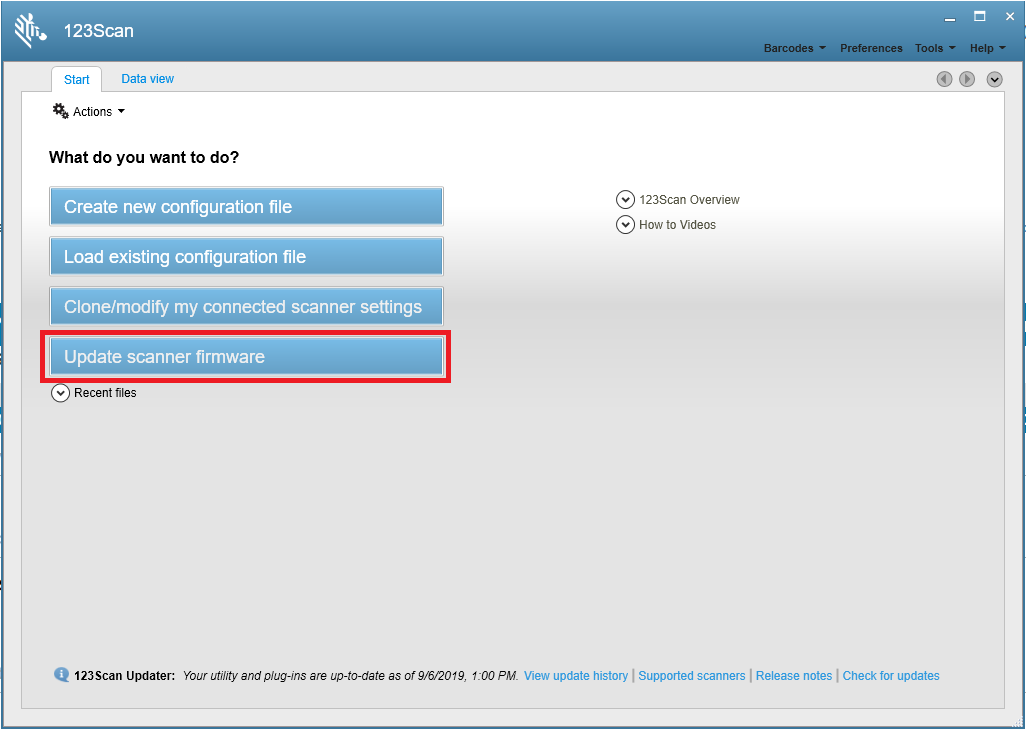
- Launch the 123Scan2 application and select 'Update scanner firmware'.

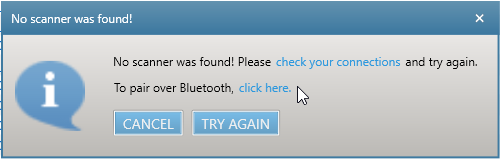
- At 'No scanner was found' dialogue, select 'To pair over Bluetooth, click here'.
- Scan the pairing barcode on screen.
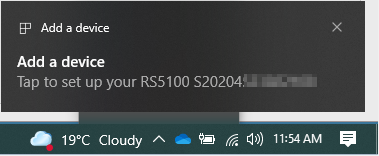
- Wait for the pairing completion and 'Update firmware' dialogue to show. If Windows prompts to add the RS5100, ignore the message.
- Choose one of the presented options and press 'Update firmware'.
- Wait for the firmware update to complete and scanner to reboot and reconnect.

- Wait for "It is now safe to disconnect the scanner" message in the dialogue box.
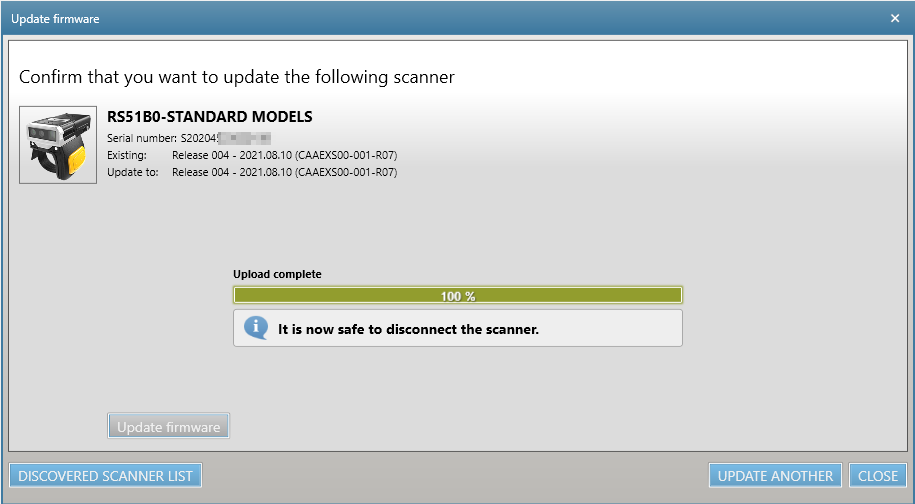
- Firmware update is completed.
📲 Using the StageNow
- Launch StageNow.
- Click Create new Profile.
- Select Xpert Mode and click the Create button.
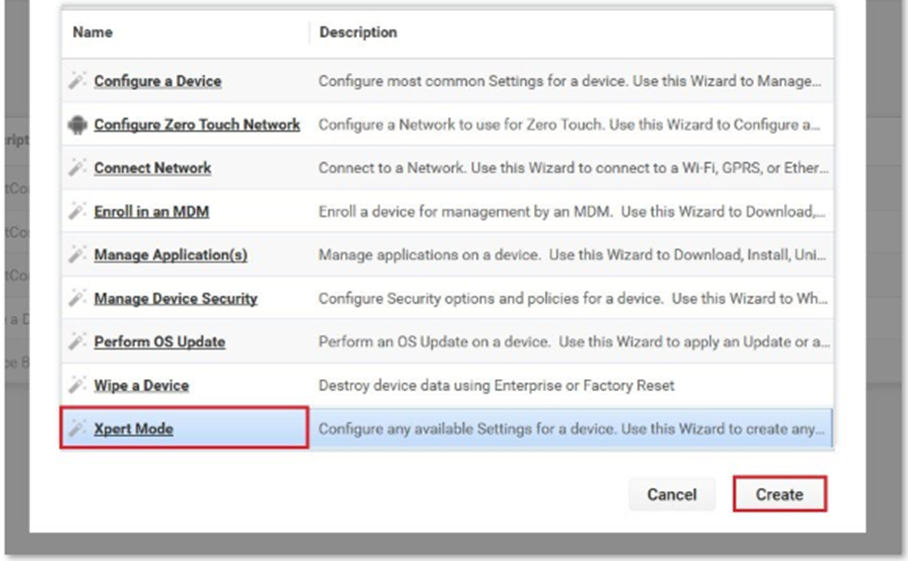
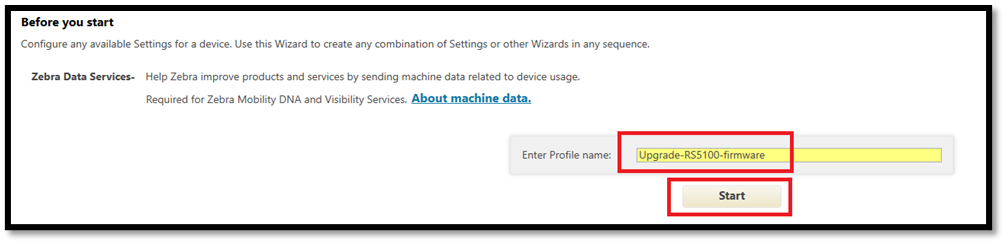
- Under Enter Profile name, assign a name to your configuration and click the Start button.
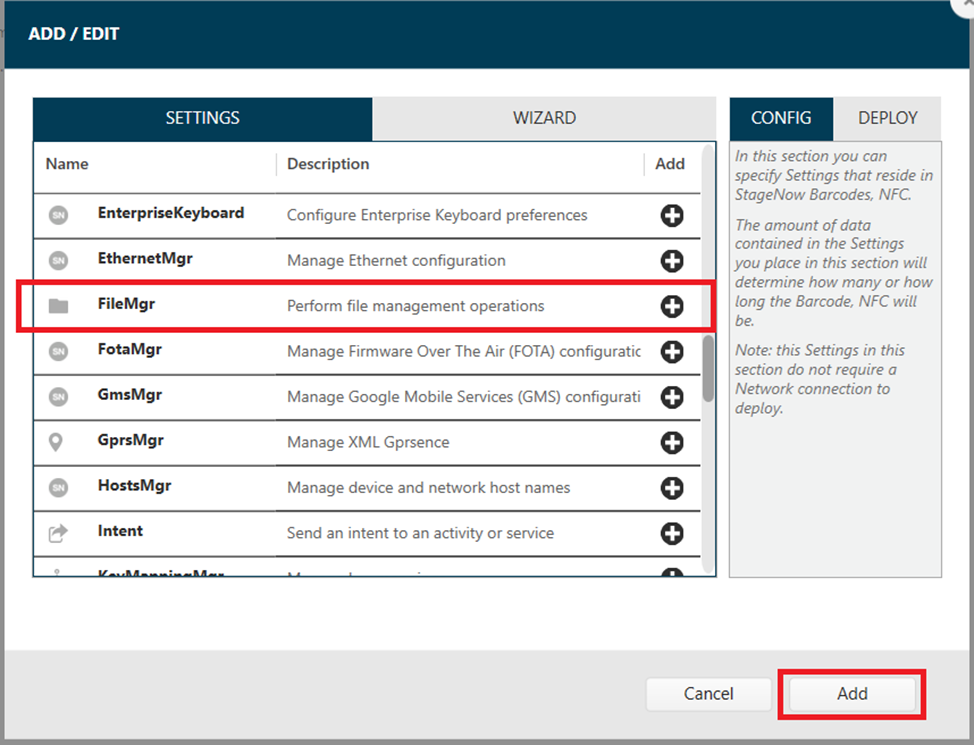
- From SETTINGS, select FileMgr from the list and click (+) to add to CONFIG. Click the Add button.
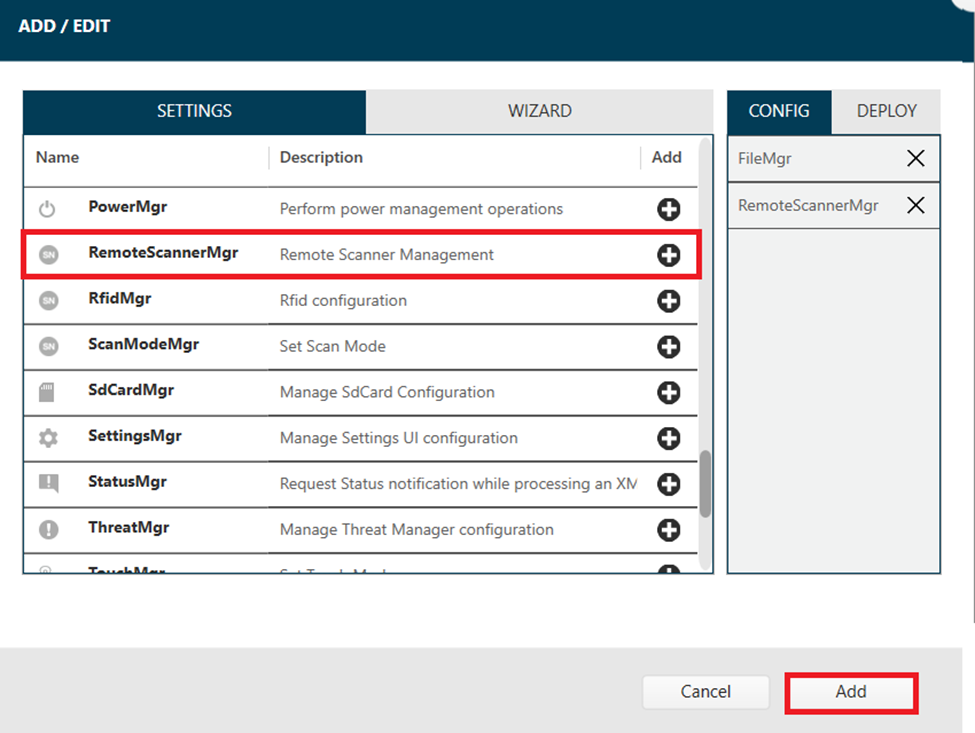
- From SETTINGS, select RemoteScannerMgr from the list and click (+) to add to CONFIG. Click the Add button.
- In the FileMgr menu, follow the below instructions and then press "Continue."
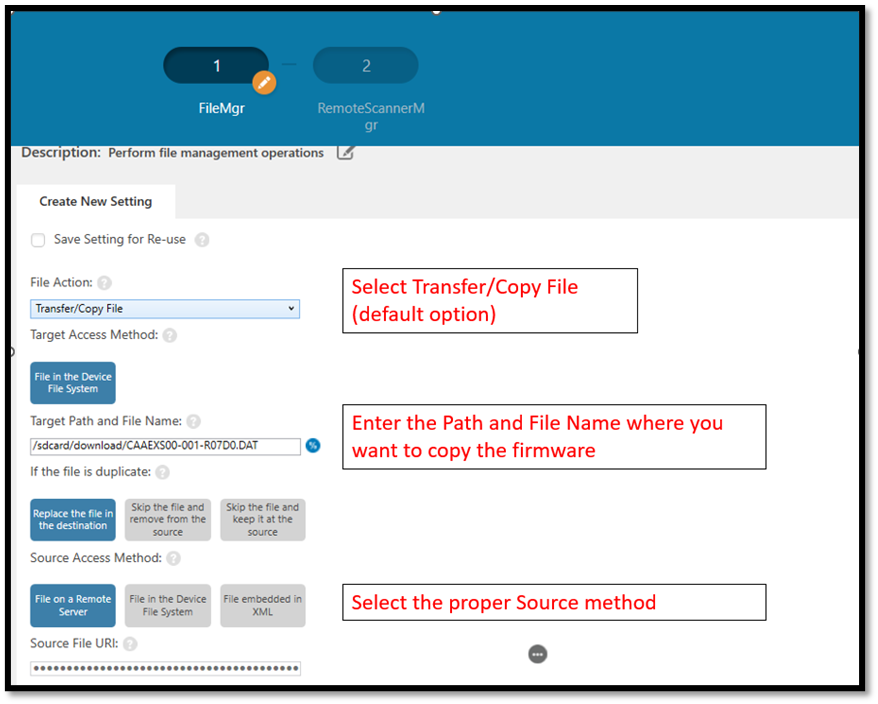
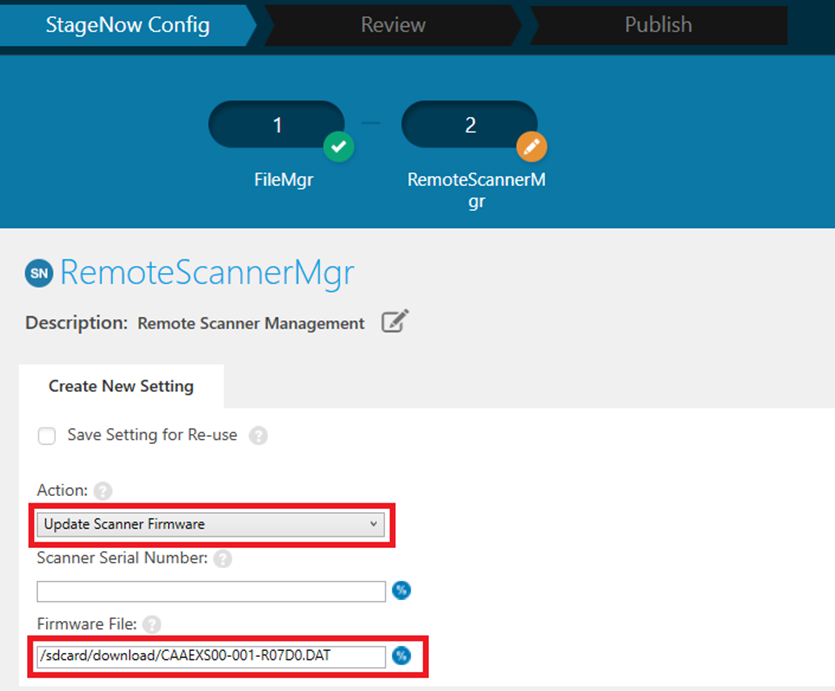
- Select Update Scanner Firmware in the Action menu, enter Path and File name in the Firmware File menu and then press "Continue."
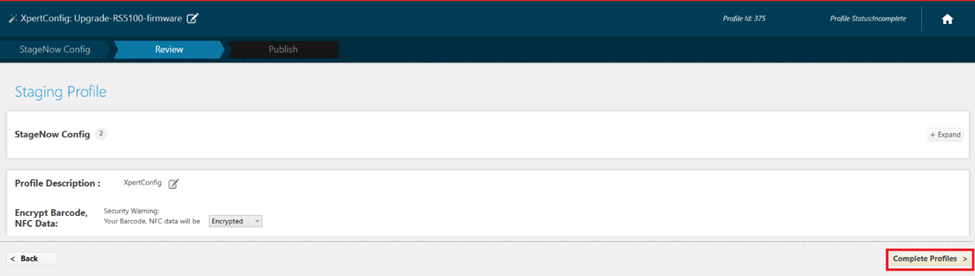
- Once done, click Complete Profiles.
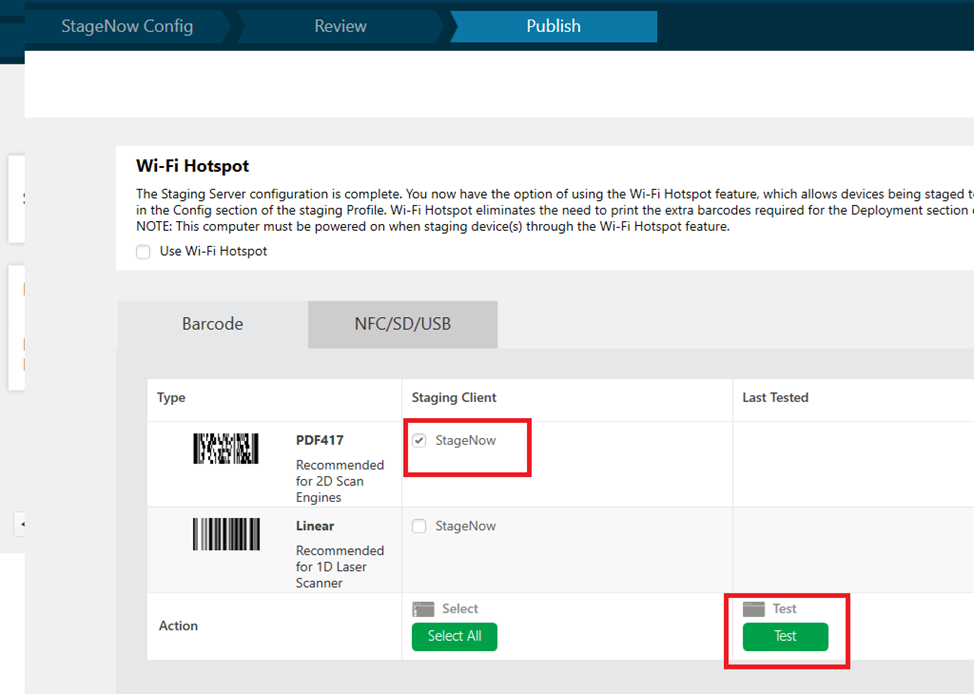
- Generate your staging barcode and Test.
- Ensure RS5100 is paired with your Zebra Android device; if not, complete the pairing.
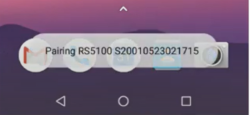
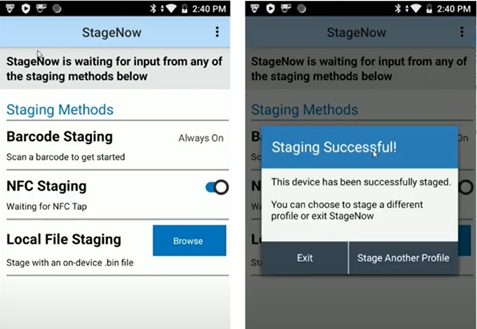
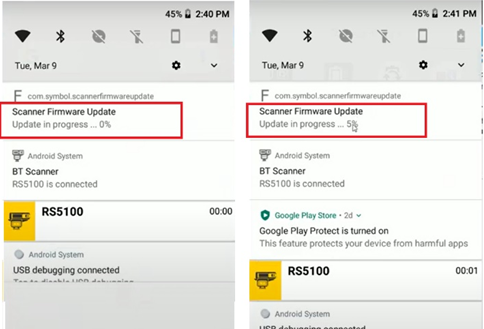
- From your device, open the StageNow application, and scan the generated barcode; the device will start to update the RS5100 firmware.
💡 Tips
- 🔋 Keep the scanner docked or stationary during the process.
- ⚠️ Do not interrupt the update once started.
- 🔄 After updating, re-check the firmware version to confirm success.
📎 Related Resources
📝 Notes
- Updates may fix performance issues, enable new features, or resolve compatibility bugs.
- If multiple RS5100 scanners are used in your workflow, update them one at a time to avoid conflicts.